How to design a webinar funnel that converts
Free videos expand your reach, but they don't pay your bills. This guide explains how to turn viewers into paying members.
Growth
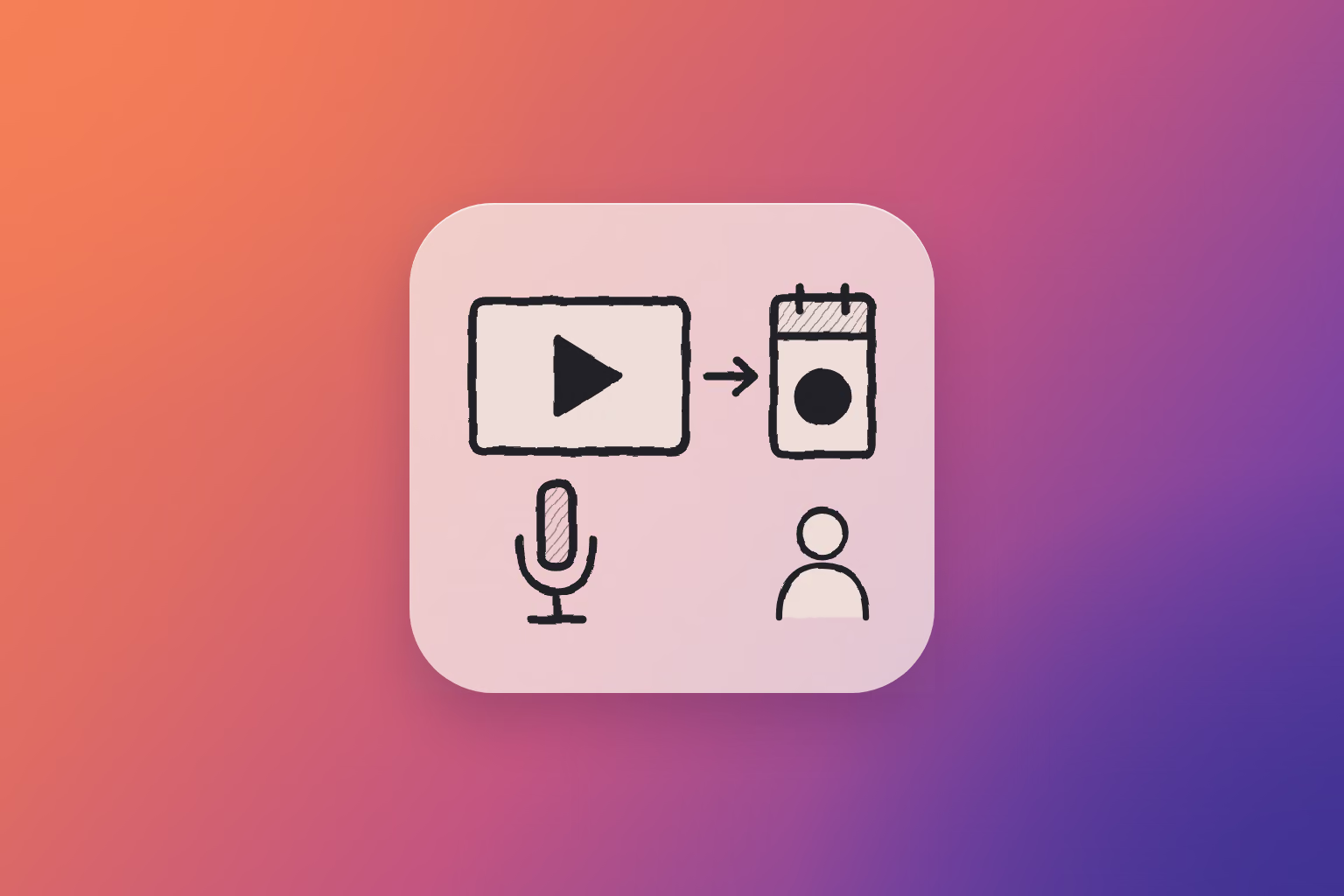
A webinar funnel for a YouTube channel or podcast gives every video and every episode the same next step: a free masterclass with a date on it. The people who sign up give you their email, you stay in their inbox between sessions, and once someone has shown up two or three times, you invite them personally into your paid community. Very few viewers go straight from a video to a membership. The live session and the emails in between are where they decide.
When we surveyed more than 100 community builders in October for our Creator Economy Report, YouTube was the biggest source of new members for 4% of them, and a podcast for 3%. Word of mouth (25%) and email lists (18%) were far ahead.1 Video is how a stranger finds you and starts to trust you. The decision to pay tends to happen somewhere more personal: in an inbox, on a live call, or after a friend says it's worth it.
This guide is for coaches, consultants and experts who use a channel or a show to find clients. Earning from the channel itself, through ads or channel memberships, is a different job.
| Step | What it does | In Heartbeat |
|---|---|---|
| The video or episode | Points to one next step | Your description, pinned comment and outro |
| The free masterclass | Teaches one problem live and collects an email | A public Event |
| The emails | Keep you in touch between sessions | Leads and a Workflow |
| The personal invite | Turns a repeat visitor into a member | An Offer, a Sign Up Link and a Page |
Marketers call this a webinar funnel. For a coach, the webinar is a free masterclass: an hour of real teaching on one problem, with an honest invitation at the end.
Why viewers don't join on their own
A lot of videos end with no next step, or with five of them: subscribe, comment, grab my course, follow me on Instagram, book a call. Given five choices, viewers tend to pick none. And once they close the tab, YouTube decides whether they ever see you again. You can't email a subscriber.
A paid membership is also a big ask from someone who met you twelve minutes ago. An hour with you, live and free, is a small one. Ask for the small thing first, and give it an end: one session with a date. A free group that runs forever gives people somewhere to stay instead of a reason to decide.
Give every video one next step
Every video and episode should tell people what to do next, and for a month it should be the same thing: the next masterclass. Put it in the first line of the description, in a pinned comment and out loud at the end. For our own events I aim for 10 to 15 touchpoints. If you publish every week, four videos and four episodes carrying the same invitation get you most of the way there.
Use one short link you own, like yourname.com/live, and point it at the next masterclass each month. Older videos keep getting views long after their date has passed, and this way they always send people to the next session.
The videos that bring in future clients are usually about problems people have before they'd ever look for a coach. A career coach's video on answering "what are your salary expectations?" reaches people who would never search for career coaching, and the masterclass gives them somewhere to go next.
The YouTube description template
YouTube shows the first few lines of a description before viewers tap more, so the date and the link go on the first line. YouTube's own advice is to use those lines to describe the video, so keep yours to one sentence and let the summary follow.2 Set the block as your channel's default description so new uploads start with it, then add it to your ten most-watched videos.
Free masterclass on [DAY, DATE]: [the one problem, in your viewers' words]. Save a seat: [LINK]

[Two or three sentences on what this video covers.]

I'm [NAME], and I help [WHO] [GET WHAT RESULT]. Once a month I teach one problem live, for free, and stay on for questions. The next one is [DATE]: [LINK]
The YouTube pinned comment
You can pin one comment to the top of each video's watch page, and pinning a new one unpins the old one.3 Ask a question there, and answer it live.
What's the hardest part of [THE PROBLEM] for you right now? Reply here. I'll answer the most common one live at my free masterclass on [DATE]. The link to save a seat is at the top of the description.
The end-of-video script
About 30 seconds, said to camera before your end screen. An end screen can only link to an outside website if your channel is in the YouTube Partner Program, so tell people where the link is.4
If this helped, here's the next step. On [DATE] I'm teaching [THE ONE PROBLEM] live, for free, for about an hour. You'll leave with [ONE CONCRETE RESULT], and I'll stay on to answer your questions. The link to save a seat is the first line of the description. If you've been meaning to sort out [THE PROBLEM], put it in your calendar now. See you on [DAY].
The podcast outro
Listeners are often driving, walking or cooking, so give them a short link they can remember, and say it twice. Put the same link at the top of your show notes.
Before you go: on [DATE] I'm running a free masterclass on [THE ONE PROBLEM]. It's an hour, it's live, and you can bring your questions. Go to [SHORT LINK] to save a seat. That's [SHORT LINK], and it's at the top of the show notes too. Thanks for listening.
Run a free masterclass with a date
The free masterclass is the bridge between watching you and paying you, and the date matters more than the format. "Someday" never fills a room. A session on the 14th gives people a reason to decide this week. If an hour-long class doesn't suit what you teach, a three- or five-day challenge with a start date does the same job.
Pick one problem. Patrick Nairne, a presentation skills coach and founder of Look Good Sound Great, calls it the power of one: "Have one reason why people should be in that room. Just one." A sharp topic pulls in the people who have that problem right now.
Teach the first step in full, and show people what the rest looks like. Lisa Princic, membership strategist and founder of Scaling Deep, gave too much away at events she'd poured herself into: "I didn't even... leave anyone curious or excited about the vision of what they could create enough to wanna buy and learn more."
Say at the start that you'll share an invitation at the end, so nobody feels ambushed. A lot of hosts flash their offer for 20 seconds and retreat to questions. After 40 or 50 minutes of real teaching, it's okay to sell for 10. Keep the offer on screen while you answer questions.
The room also tells you whether your offer works. Doc Williams, founder of Brand Factory and a YouTuber himself, treats live as the test: "If people aren't buying live, either I'm not saying it correctly... or it might not be enough of a pain point."
When people join during the session, keep them for 15 minutes at the end and get them into the community together. One or two people saying they're in gets the rest moving, and 10 or 15 people arriving at once makes a new room feel busy from day one.
Then run the same masterclass next month for new people. Each round gets sharper, and the recording gives you clips for your next videos. We run our own free live events for community builders the same way: one topic, live, open to anyone.
The masterclass description
Paste this into the Event's description.
How to [GET ONE RESULT] without [THE USUAL PAIN]

A free live masterclass for [WHO] who [SITUATION].

In 60 minutes you'll learn:
- [The first thing you'll be able to do]
- [The mistake most people make, and what to do instead]
- [The template or tool we'll fill in together]

At the end I'll share how you can keep working on this with me in [COMMUNITY NAME], and I'll stay on for questions.

[DATE, TIME, TIME ZONE]. Free. RSVP to get the link.
A 60-minute run of show
- Minutes 0 to 5. Welcome people, say who it's for, and mention the invitation at the end.
- 5 to 40. Teach the one problem: one idea, one live example, one thing to try this week.
- 40 to 50. The invitation: what members get, who it's for, the price, and the date the founding price ends.
- 50 to 60. Questions, with the link on screen.
- After. Fifteen minutes with anyone who joined, to get them set up inside.
Keep the email, because the list is yours
Every RSVP gives you an email address, and that's the part of this that lasts. Building an audience only on someone else's platform is risky. A list of email addresses of people who want what you teach is the one audience you control, and everything else is rented space. Liz Wilcox, an email strategist, made the same point in one of our workshops: "You don't own Facebook, Instagram." You don't own YouTube or Spotify either. Your list comes with you, whichever email tool you use. Our guide to email marketing for community growth covers what to send them.
For videos that keep getting views when no masterclass is on the calendar, offer a lead magnet: the checklist, template or worksheet you keep sending people one at a time, in exchange for an email. A good one is the tool you used in the masterclass itself, because people who watched already know why they want it.
After each session, email everyone who registered the replay and a short invitation. Plenty of people who sign up won't make it live, so the replay email carries the invitation to them.
The email after the masterclass
Subject: The replay, and what's next

Hi,

Thanks for signing up for [MASTERCLASS TITLE]. Here's the replay: [LINK]

If you do one thing this week, make it [THE ACTION FROM THE SESSION].

If you want to keep working on this with me, [COMMUNITY NAME] is where we do it: [WHAT MEMBERS GET, IN ONE LINE]. The founding price ends on [DATE]: [LINK]

[YOUR NAME]
Invite people personally after two or three visits
Some people will join from the session or the replay. Others are waiting to be asked, and the timing matters. Patrick Nairne compares it to dating: "just as you wouldn't on a first date invite someone to share a lifelong marriage with you... you're going to get people coming back to your event maybe two, maybe three times before you say to them, I want you to consider joining this community full-time."
Keep a short list as you go: people who came to two sessions, replied to an email or asked a good question in the chat. Write to each of them yourself, mention what they said, and give the founding price an end date so the decision happens this month. The same approach works on free members who won't upgrade.
The personal invite
Hi [NAME], thanks for coming to [THE LAST TWO MASTERCLASSES]. Your question about [WHAT THEY ASKED] stuck with me. I'm opening [COMMUNITY NAME] to a small founding group: [WHAT THEY GET, IN ONE LINE]. I think it would help with [THEIR SITUATION]. Want the details? The founding price is open until [DATE].
Set it up in Heartbeat
- The masterclass. Create an Event, choose Public under Visibility & Discovery, and switch on Add a community sign up button with the Sign Up Link for your paid Offer. Add reminders and turn on Send event reminders as emails. Public Events can't repeat, so duplicate last month's Event for each new date.
- The emails. Everyone who RSVPs from outside your community shows up in People → Leads, with the Event as their source. A Workflow with the On Lead Captured trigger emails them the moment they register. After the session, export the list and send the replay from your email tool.
- The lead magnet. Publish a Resource with Email access. Every email it collects lands in the same Leads list.
- The paid community. Create the Offer in Settings > Revenue > Offers, give it a Sign Up Link, and put a Page in front of it, which Pulse builds from a description. A promo code with an expiration date covers the founding price. If the community doesn't exist yet, start with how to create a membership site.
 That's enough reading – put Pulse AI to work
Pulse, our AI co-builder, can set up an Event, lead magnet, and an Offer, all in your voice.
Free for 14 days, no credit card.
- A free masterclass Event, with reminders
- A lead magnet for your older videos
- The paid Offer it leads into
- Your description, pinned comment and outro scripts
Free for 14 days, no credit card.
FAQ
What is a webinar funnel?
A webinar funnel takes people from your content to a free live session, collects their email when they register, and invites them to buy at the end of the session and in the emails after it. For coaches, the webinar is usually a free masterclass on one problem, followed by a personal invitation into the paid community.
What should I put in my YouTube description to get clients?
One line with your next free masterclass, its date and the link, then a short summary of the video. Viewers see the first few lines before they tap more. Copy the YouTube description template above and set it as your channel's default description.
What should I pin in my YouTube comments?
A question about the problem your next masterclass solves, plus a pointer to the link at the top of the description. You can pin one comment per video, and the replies tell you what to teach.
Should a free masterclass be live or recorded?
Live, with a date. The date gets people to decide, the questions show you what people will pay to solve, and you can welcome new members while they're still in the room. Plan on about an hour, with 10 minutes for your offer, and send the recording to everyone who registered.
How many subscribers do I need to start a paid community?
Fewer than most people think. In our Creator Economy Report, 79% of communities on a paid Heartbeat plan have 100 members or fewer, and the median has 23. If your masterclass puts 20 or 30 of the right people in the room each month, you have enough to start.
Does this work for a podcast?
Yes. Read the outro above at the end of every episode for a month, and put the same short link at the top of your show notes. Your listeners already know your voice, so an hour with you live is a natural next step.
Keep reading
Sources
Checked 11/2026
- 1
Heartbeat Creator Economy Report, 2026heartbeat.chat/…/creator-economy-statistics
- 2
YouTube Help, tips for video descriptionssupport.google.com/youtube/answer/12948449
- 3
YouTube Help, pinning a commentsupport.google.com/youtube/answer/6000964
- 4
YouTube Help, end screenssupport.google.com/youtube/answer/6388789